Pouch: Backpack on the iPhone & iPad

Pouch

37signals Backpack on your iPhone / iPad

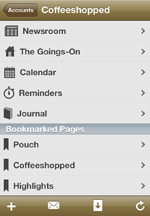
Pouch enables you to use your 37signals Backpack account on your iPhone and iPad, including your Pages, Reminders, Calendars, Journal, and Newsroom.

Your Pages, Like You Made Them

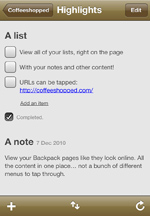
Your Pages look like they do on the web: just like you left them and all in one place.

The same goes for your collection of Pages: the Start Page is at the top, next is your "in the sidebar" Bookmarked Pages, and the rest of your Pages follow in alphabetical order.

Create and Edit Pages, Notes and To-Do Lists

Use Pouch to create and edit your Pages. Add, edit, or delete your Notes and To-Do Lists. Reorder items on a Page or in a List. Keep track of ideas and tasks on the go.

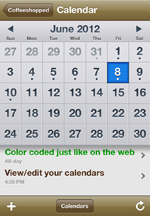
Manage Your Reminders, Calendars, and Journal

Create, edit, and delete Reminders, Calendar events, and Journal entries.

View Your Content Off-Line

Every piece of content downloaded with Pouch is automatically stored for off-line access.

No Limits: All the Accounts You Want

More than one 37signals ID? No problem. Manage as many Backpack accounts as you have, all in one app. Just start the app, sign in with your 37signals ID, and all your accounts are available to you.

And...More!

  • View images in full-screen mode.
  • View your uploaded files,if supported by the iOS web browser.
  • Auto-highlighted URLs, email addresses, phone numbers, and dates for integration with your other iPhone services.
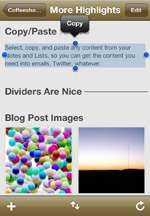
  • Notes and Lists can be copied to the clipboard, just in case you need to email (or Twitter, or whatever) the content to someone (or something, or whatever)

Note: Though Pouch supports a large portion of Backpack's many features, it can't do everything Backpack can because of limitations of the Backpack API and iOS. If you use Backpack for a specific function that Pouch does not cover, or if you have any questions or feedback, please feel free to contact me.

Available now. Find out more in the App Store »

Overview Page, Copy/Paste Calendar File Attachments Page Highlights


Subscribe to Coffeeshopped Blog