 Coffeeshopped
Patch Base/Supported synths/Korg Volca FM2
Korg
Volca FM2 Editor & Librarian
Patch Base has the best Korg Volca FM2 editor and librarian available for Mac and iPad. Edit any parameter, organize patches, create random patches, and more.
Try out Patch Base 4 for Mac free for 7 days. Every editor is available as a one-time purchase, or get them all with the All Access subscription — one monthly or annual price for the whole collection.
Already own Patch Base 4 for Mac? Log in to buy the Volca FM2 editor at the editor-only price.
Download Patch Base free on the App Store, then unlock the Volca FM2 editor with an in-app purchase — or get every editor with All Access.
Free to download, and free 7-day All Access trial.
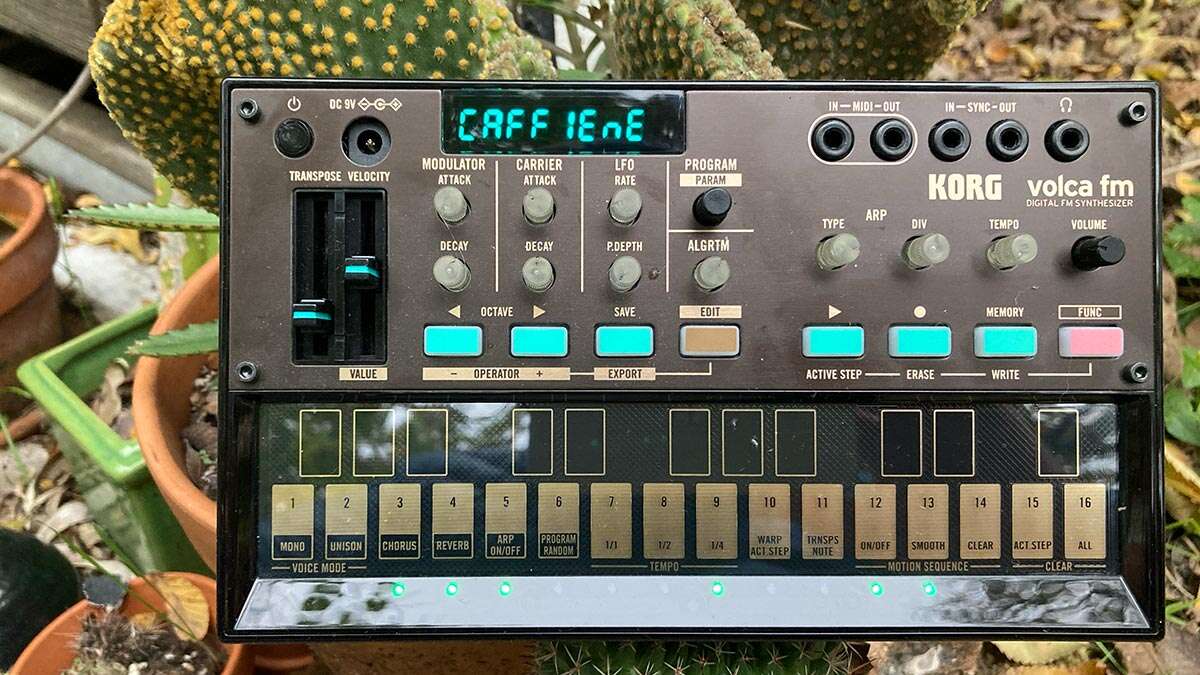
iPad Screenshots
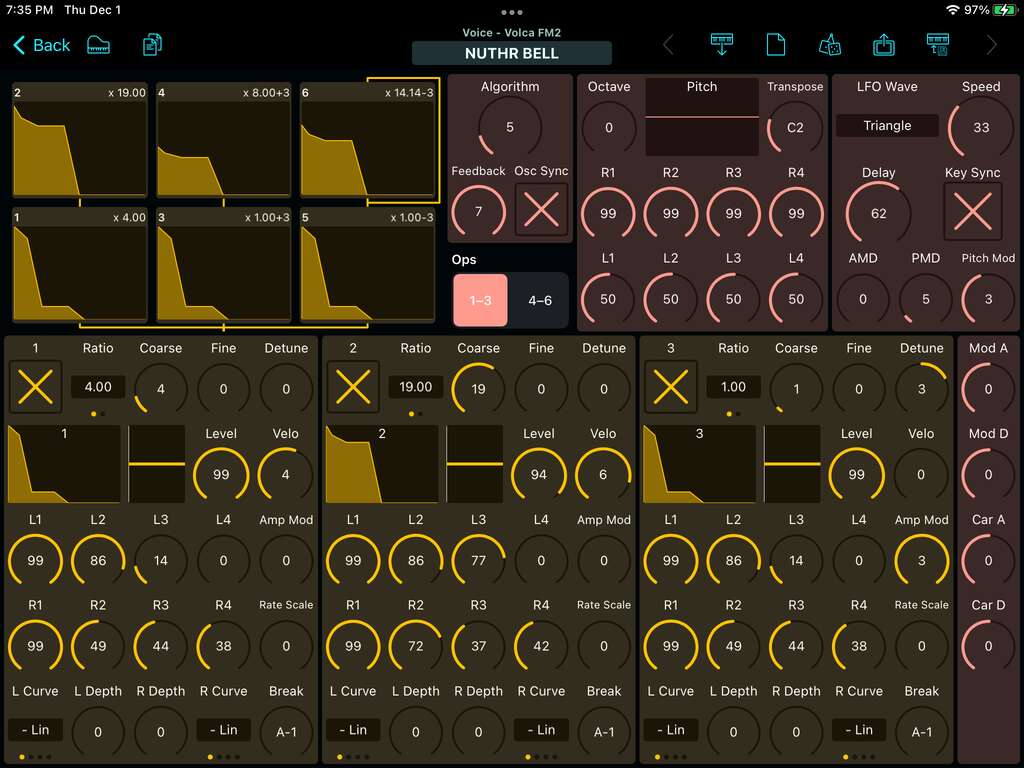
FM Voice Editor
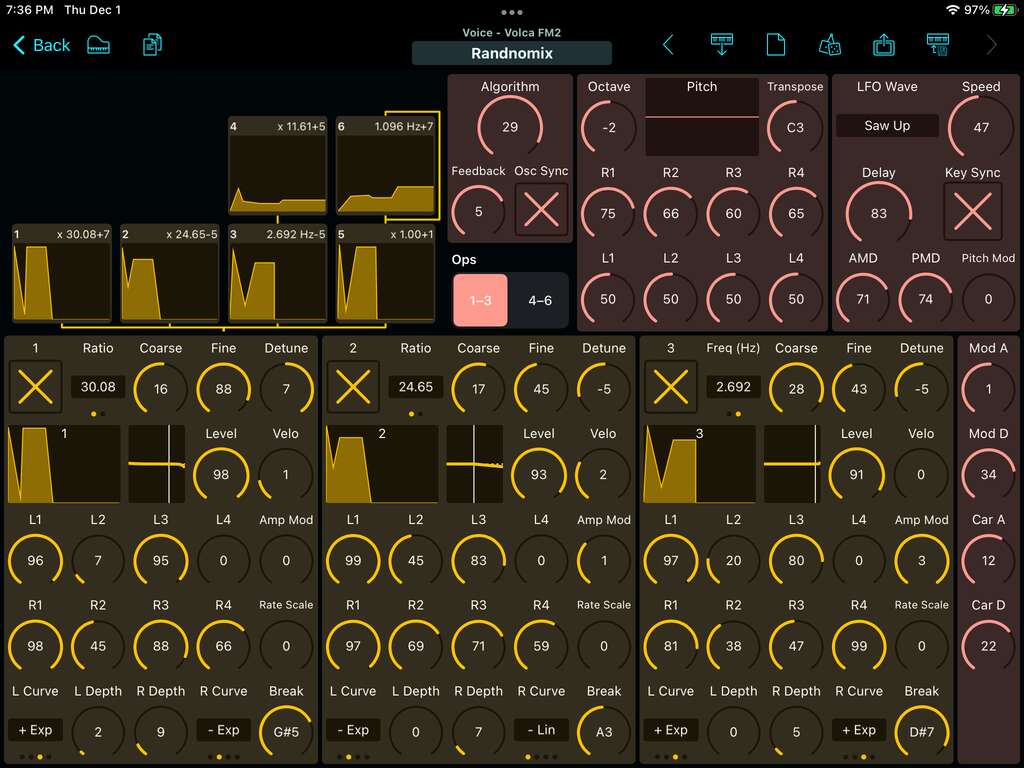
You don't have to be a wizard to program FM sounds. You just need good controls. Patch Base makes FM easy to work with by showing you the layout of the currently selected algorithm and the envelopes and settings of each operator. You can finally visualize what's going on inside of the Volca FM2, and once you do, it's not that complicated.
- See the layout of the current FM algorithm, with the envelope shapes and ratio settings of each operator
- Copy/paste the settings for entire operators
- Copy/paste envelopes for quick editing
- Easily edit the pitch envelope and LFO settings
Sequence Editor
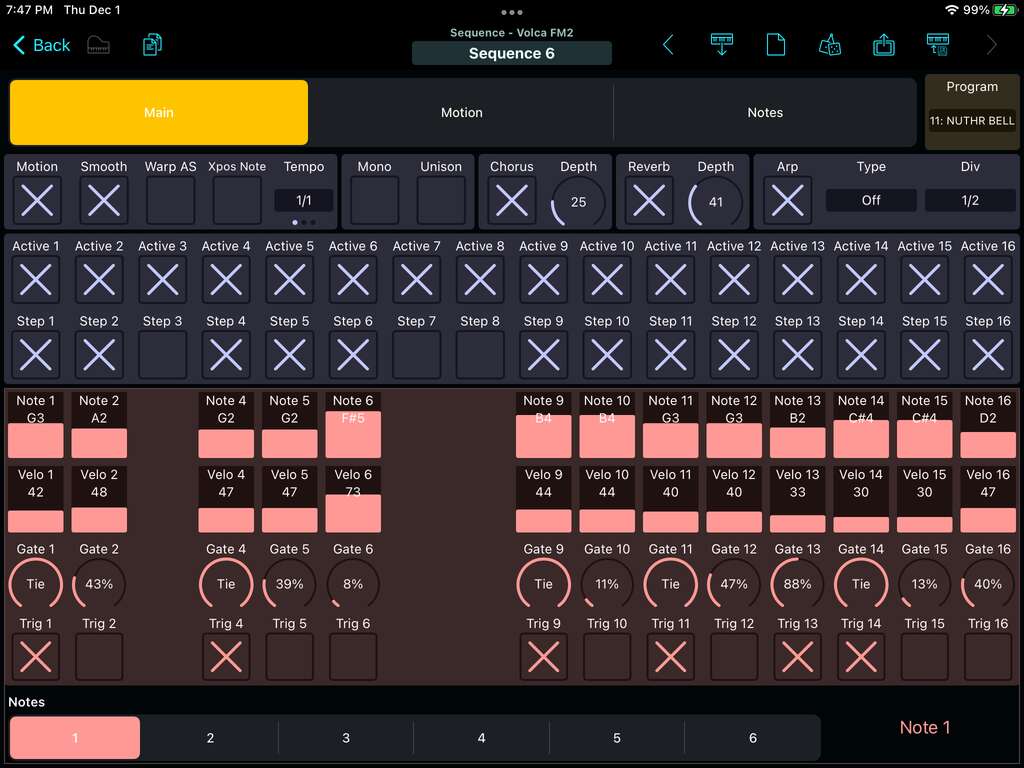
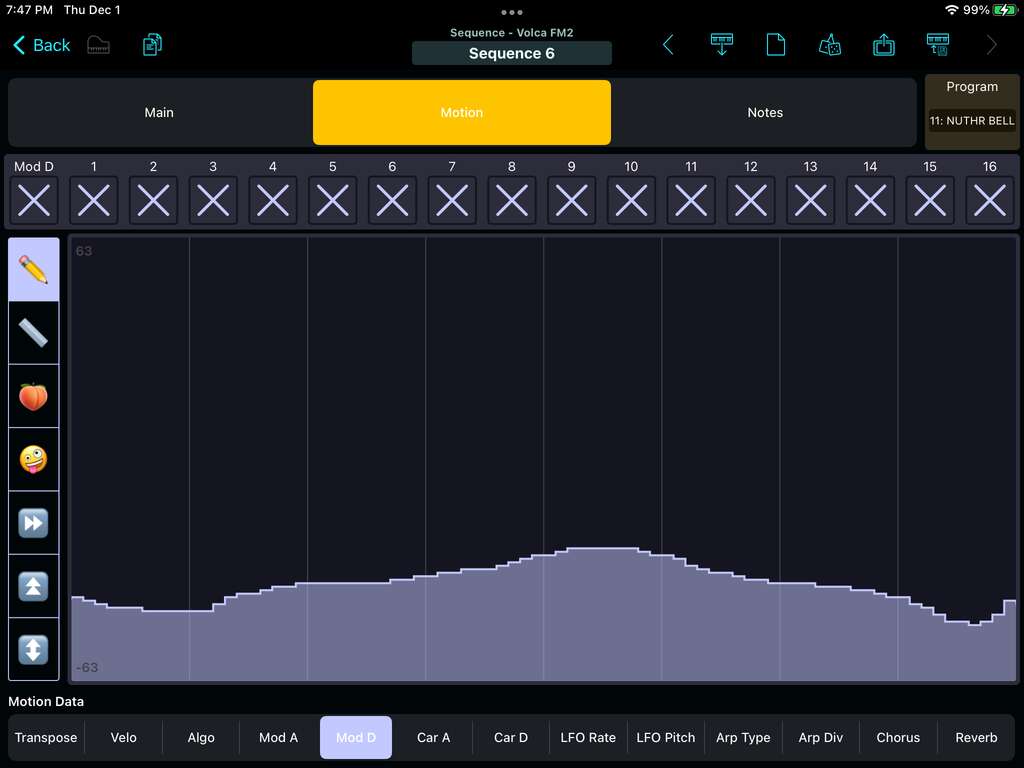
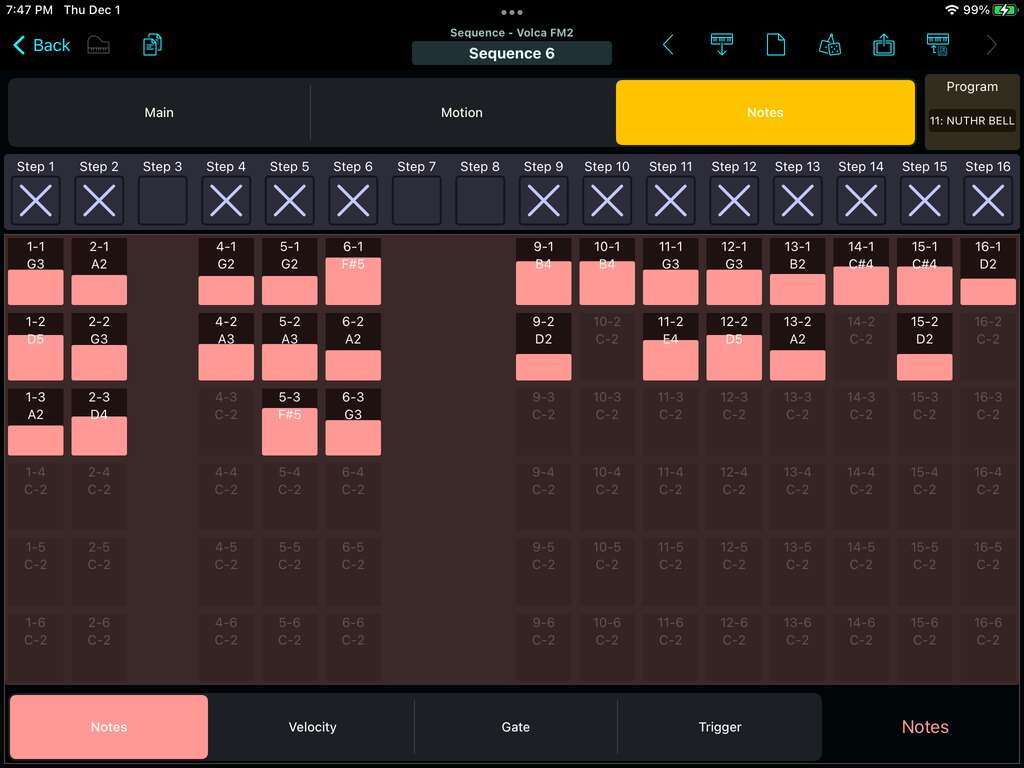
Unlike the original Volca FM, the FM2 offers full access to all the data of an internal sequence. You can record a sequence on the Volca itself, then import the sequence into Patch Base for fine-tune editing. Or, create a sequence from scratch in Patch Base by hand, or start out with a random sequence. Create automation that you could never pull off by twisting knobs.
- Edit all individual note, velocity, and gate information
- Graphically edit Motion data using several different tools
- Adjust the timing, effects, arpeggiator, and more
Bank Editors
Patch Base's Bank Editors let you change and organize the saved sounds on your Volca FM2. Load, fetch, and save, banks of 64 Voices and 16 Sequences. Save them to files for later use. Mix and match.
Backup
The Backup section gives you 1-click fetching of all the Voice and Sequence data from the Volca FM2, which you can save in a single file for later use, or sharing.
Full Sequences
You can also save Sequences as “Full Sequences”, which will include both sequence and voice data in a single file, so you can save a load a Sequence along with its related Patch without worrrying about what's stored on the Volca itself.
Patch Librarian
Save patches and banks as files
Patch Base saves files as sysex that can be sent to your synth by Patch Base or any general-purpose sysex transfer app.
Organize your sounds
Create folders to organize your patches and banks on iPad or Mac.
iCloud integration
Optionally use iCloud to make your patch files accessible on any iCloud-connected device, and to sync between Patch Base on Mac and iPad.
Import sysex files
Import existing patch and bank sysex files. On Mac, drop your files into the browser. On iPad, import using iCloud or the Files app.
More Korg
Other Korg editors.
Related: All supported synths FAQ Volca FM2 editor help