 Coffeeshopped
External Keyboard Routing
Another new feature of Patch Base 4 is the ability to easily connect your external MIDI keyboard to your synth via Patch Base. To do this, open Preferences in Patch Base, and go to the MIDI In tab.
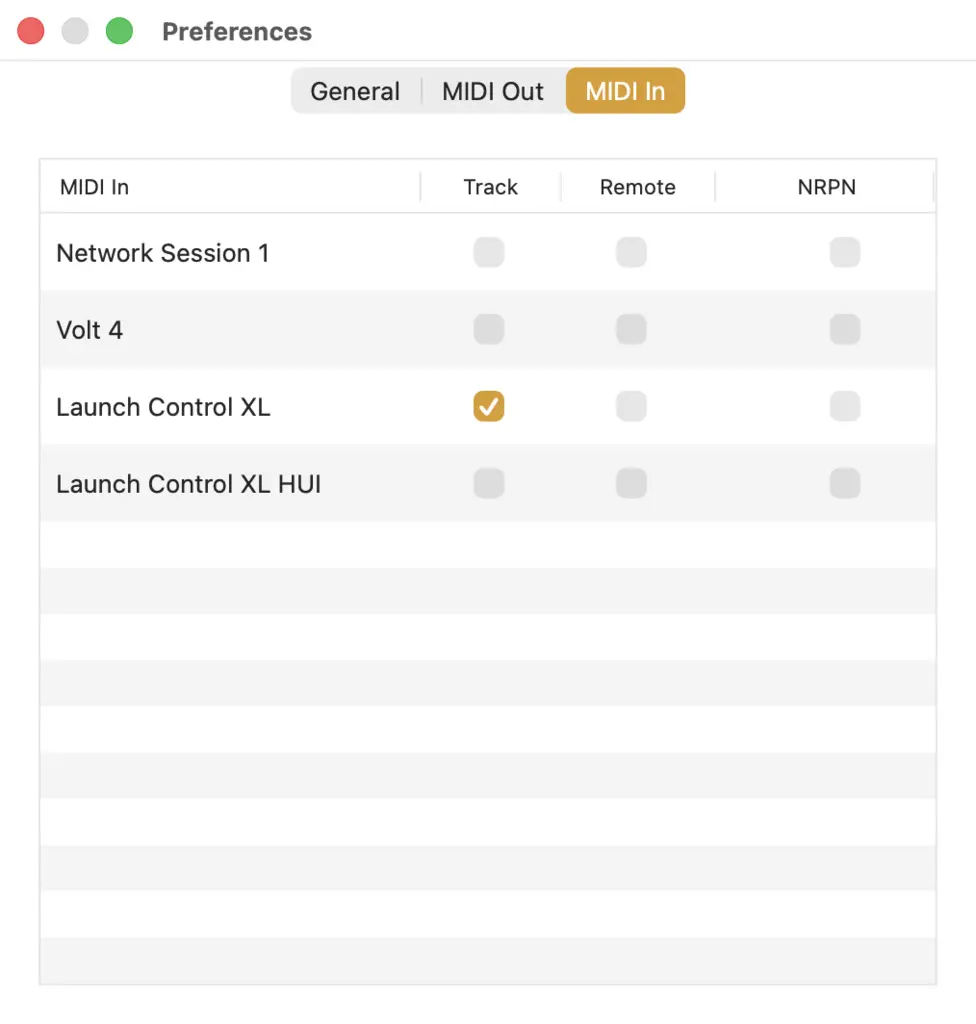
Find the MIDI controller you want to play notes with, and check the Track checkbox in that row. Now, Patch Base will use that MIDI interface to play notes.
When you open a patch editor, Patch Base will take any notes that you play on your MIDI keyboard and send them out to the synth you're editing. It doesn't matter what MIDI channel your keyboard is set to; Patch Base will map the notes to the MIDI channel that your synth is listening to.
This is especially nice for multi-timbral synths. Patch Base will change the MIDI channel it uses depending on which section of the synth you're editing (in the active window). For Performances (e.g. Roland multi-timbral setups), the in-app keyboard shows a MIDI Channel setting. You can select a MIDI Channel there, and Patch Base will use that for routing notes from your keyboard to your synth.