 Coffeeshopped
External MIDI Control
One of the new features of Patch Base 4 is the ability to use your hardware MIDI controllers to change Patch Base's on-screen controls, giving you hands-on patch editing ability.
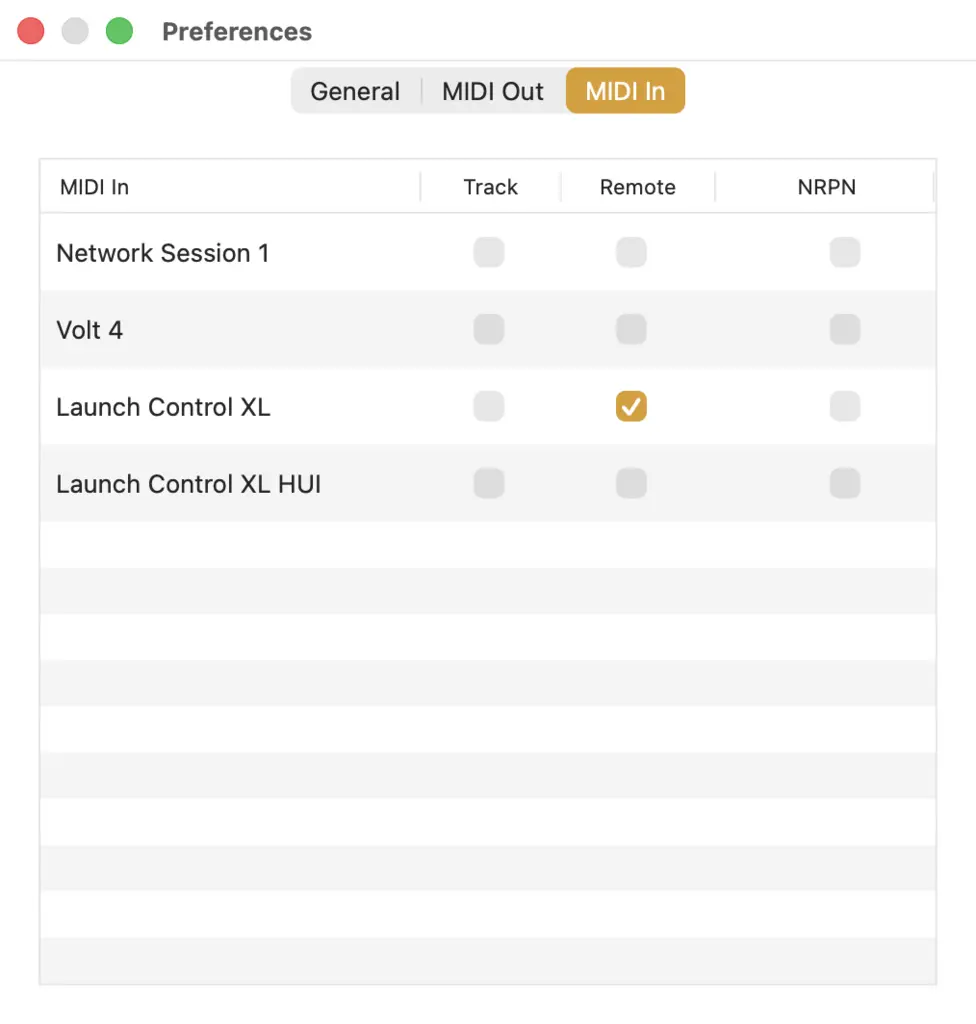
To set this up, you'll open Preferences in Patch Base, and click over to the MIDI In tab. Here, you'll see a list of all the MIDI inputs that your Mac knows about. Find the one(s) you want to use to control Patch Base with, and click the Remote checkbox for each of them. This will tell Patch Base to listen to the input from those interfaces for external MIDI control.
After you've done that, it's time to tell Patch Base which parameters you want to control with which knobs. The Learn feature makes this easy. First, open the patch editor you want to control. Then from the top menu bar, choose View > MIDI Map > Learn. You can also just type Command+m. This will put the editor in Learn Mode:
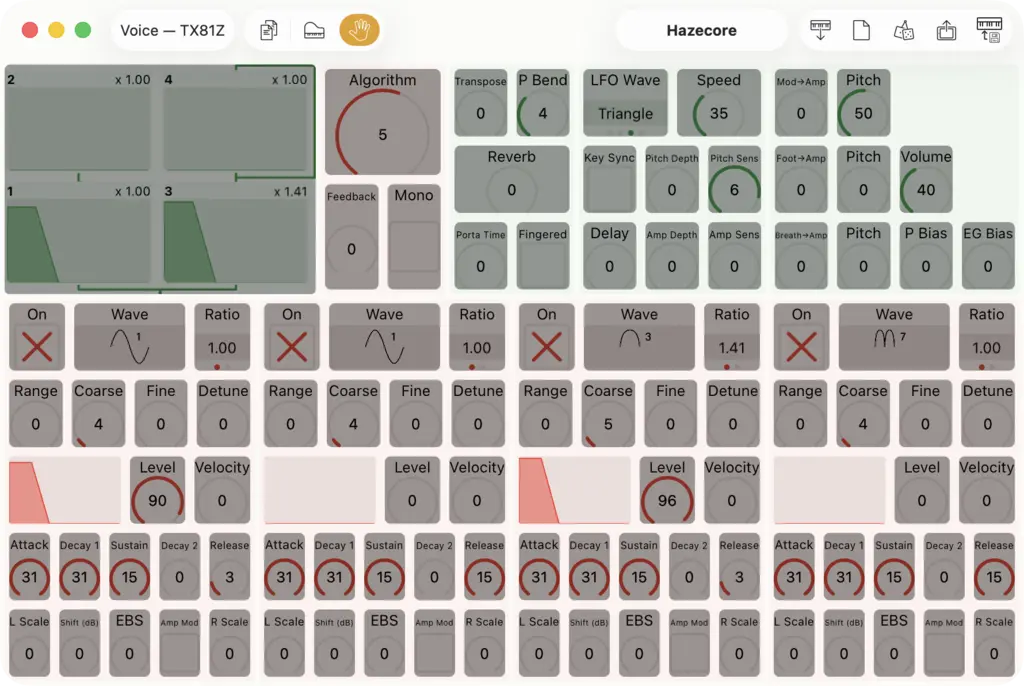
In Learn Mode, Patch Base listens to input from your MIDI controller, and maps it to whichever control you've selected. So, click the control you want to map, then wiggle the knob on your controller that you want it mapped to. If it worked, you should see the controller number appear over the Patch Base control you selected. Below, I've mapped the Level parameter of operator 1 (lower-left area) to CC 49 on my controller.
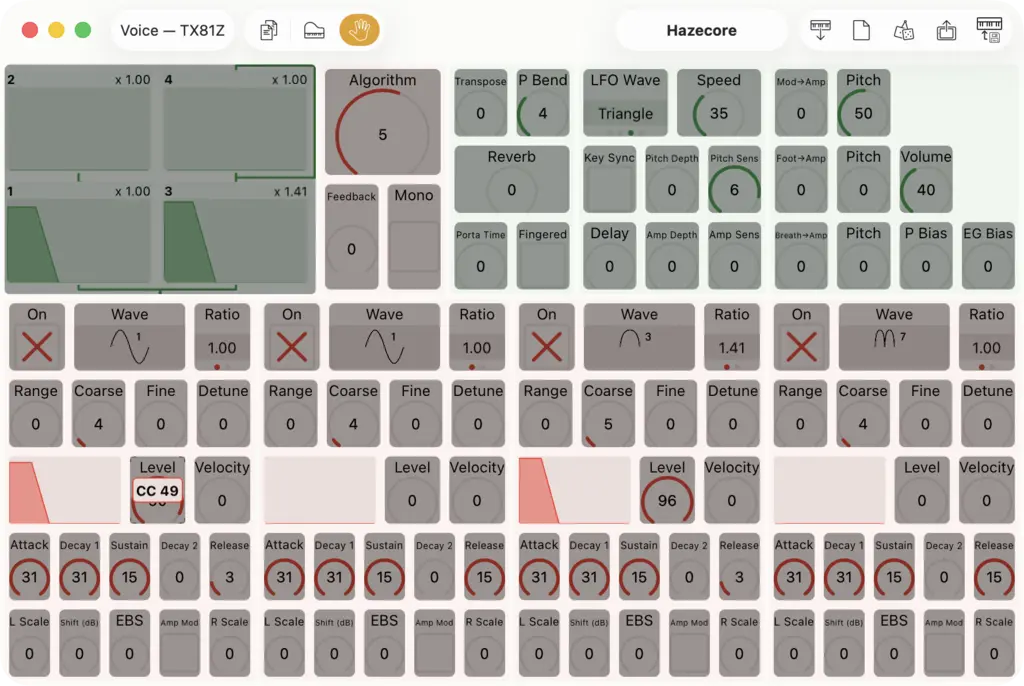
Patch Base will automatically scale the MIDI controller to the range of the parameter it's controlling. If you want to remove a mapping you've created, simply click on the mapped control, then press the Delete key on your computer keyboard.
If you want an overview of all of the mapped controls for an editor, go to View > MIDI Map > Overview.
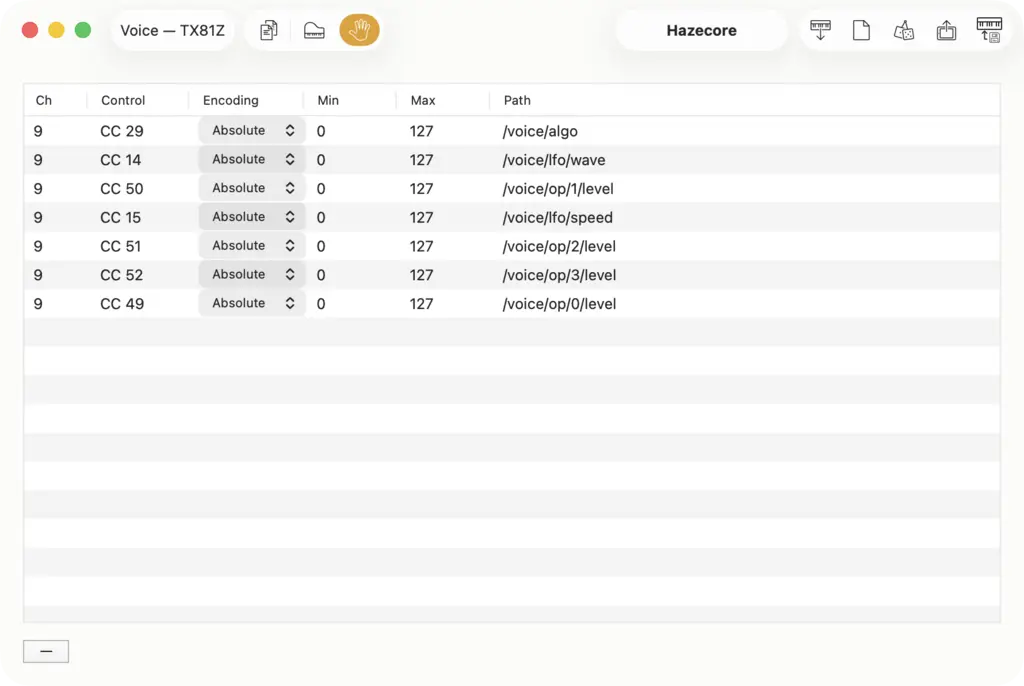
Here you can see I've mapped several more controls from my controller to parameters on the TX81Z. The Path column is Patch Base's internal system for naming the parameters of the synth you're editing. Each row shows The MIDI Channel and Control that Patch Base is listening to from your controller, and the Path of the parameter it's mapping to. The Min and Max can be changed if you need to customize the behavior of the controller, but usually that isn't needed.
NRPN Support
Patch Base should work with MIDI controllers that send NRPN messages (as well as simpler CC messages). If your controller sends NRPN messages, then make sure to check the NRPN checkbox in Preferences when selecting that controller for input. Then in the Overview window shown above, you can also specify the encoding your controller uses for each NRPN message, offering flexiblity across the various formats that are out there.
Toggling External MIDI Control
That “hand” toggle in the top menu bar of the window is used to turn on/off External MIDI Control for this section of this editor. If the hand is off, then this section of the editor will ignore all external MIDI messages.
Patch Base doesn't care which window(s) are open or not when using External MIDI Control. It just pays attention to the hand. This is because you can map a single controller to multiple sections of multiple editors at the same time. In theory you could make a single knob change parameters across a bunch of synths at once. But you probably don't want that. So, you can toggle external control on or off on a per-section or per-synth basis.
You can also toggle the hand(s) from the Synth Editors window:
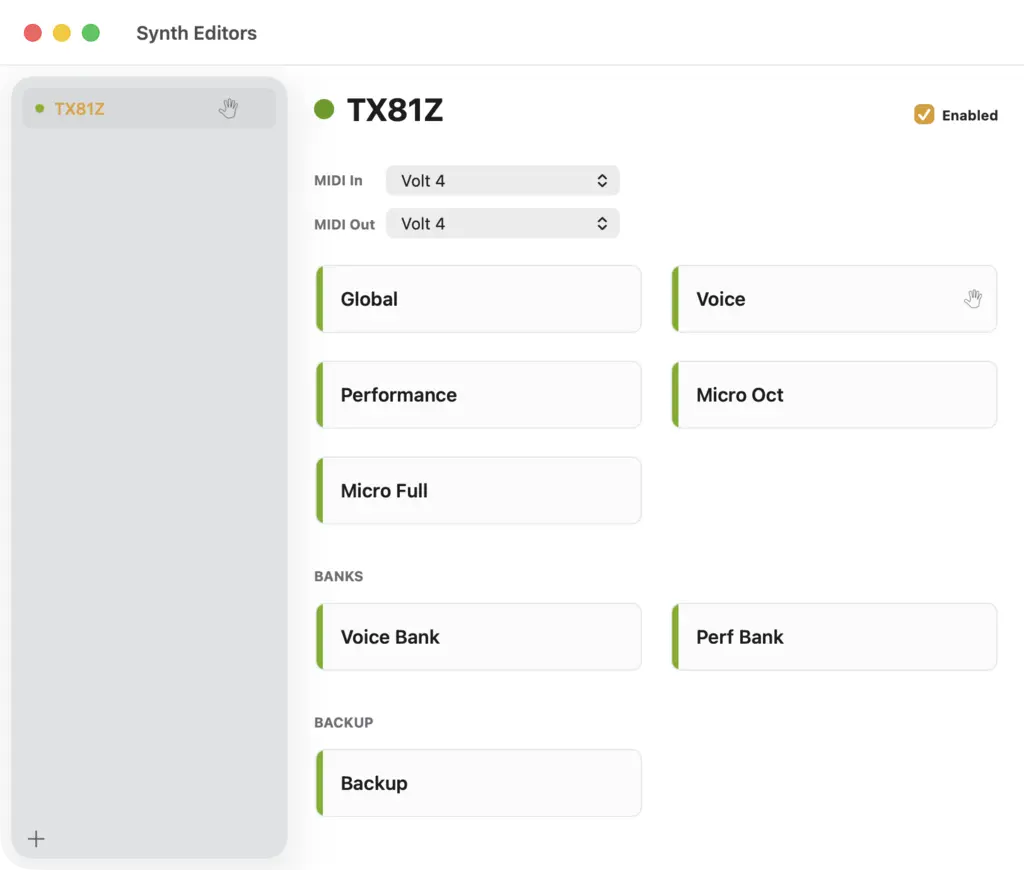
In the screenshot above, because I've enabled External MIDI control on the Voice section of the TX81Z editor, the hand is shown both on the Voice tile of the editor, as well as next to the TX81Z listing in the left-hand column. You can right click the Voice tile to toggle External MIDI control for that section. Also, you can disable External MIDI control for all sections of the TX81Z editor by right clicking on the TX81Z listing and choosing “Disable”.
Why All This Hands Stuff?
Originally when I was implementing External MIDI control, I set it to just be active for whichever editor window was currently active in Patch Base. But I found that too limiting. Sometimes you want to switch windows but still have that hands-on control. So, with the hands toggles, Patch Base's external midi control behavior is independent of whichever windows are showing.