 Coffeeshopped
Bank Editors
The Bank Editor window is where you can fetch banks from your synth, load banks from files, and arrange your own custom banks.
The menu bar here has a subset of the same tools the Patch Editor windows have. There's the dropdown menu for going to another part of the editor, the toggle for the File Browser, and then Fetch and Send buttons.
When you open the Bank Editor for a synth for the first time, Patch Base will have a basic init bank loaded in the editor. The first thing to do is to use the Fetch button to sync Patch Base with your synth's memory. Once you've fetched the bank, you can save it to a file for backup (use the File > Save menu to do so). All banks that you have saved to files will also show up under the “Banks” tab in the Patch Editor, so that you can easily load sounds from banks for editing/auditioning.
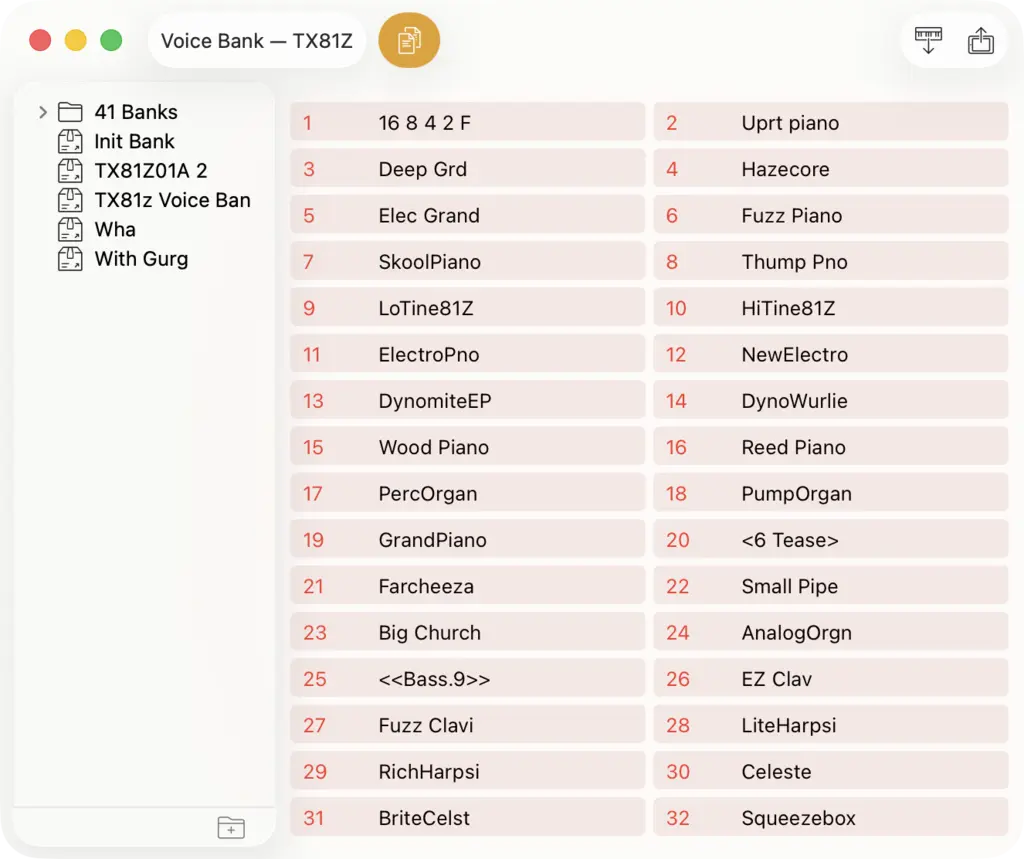
The larger area on the right is a listing of all of the patches in the bank. You can drag and drop patches to re-order the patches in the bank. You can also drag patches from the Patch Editor window's File Browser to add them to the bank.
Similarly, you can drag a patch from the bank into the Patch Editor window, and that patch will be loaded immediately in the editor.
The File Browser on the left shows the Bank files you have saved on your Mac. Each file contains the sysex data for that bank.