 Coffeeshopped
Patch Base/Supported synths/Roland JD-990
Roland
JD-990 Editor & Librarian
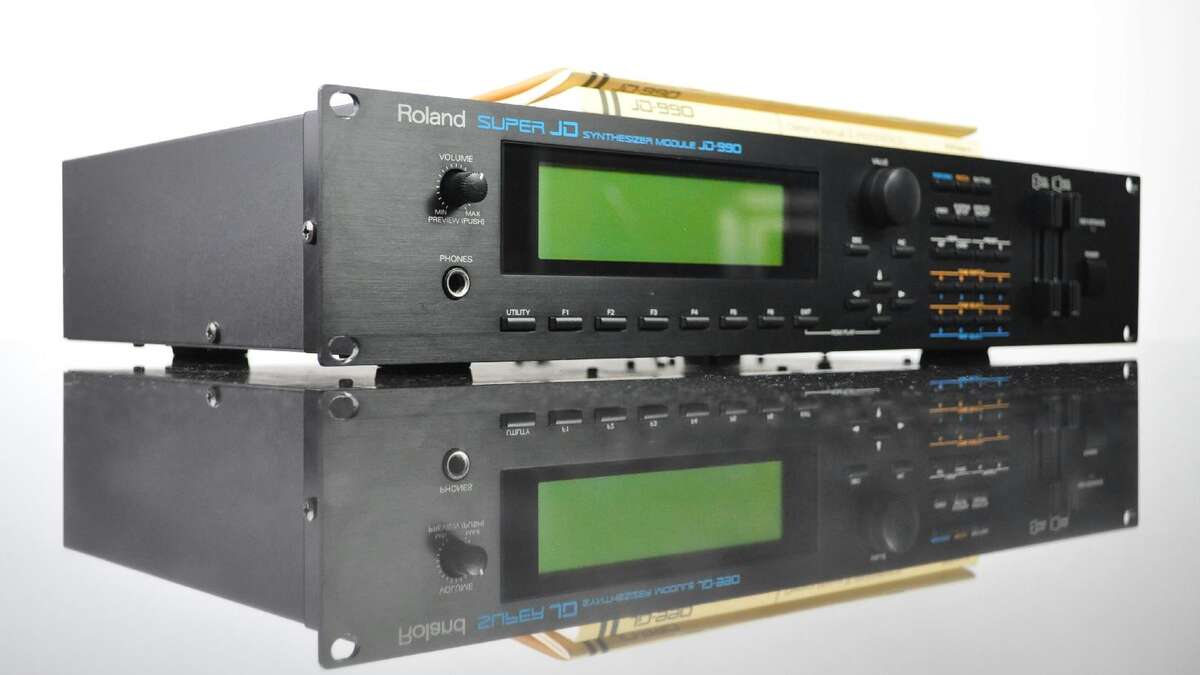
Patch Base has the best Roland JD-990 editor and librarian available for Mac and iPad. Edit any parameter, organize patches, create random patches, and more.
Try out Patch Base 4 for Mac free for 7 days. Every editor is available as a one-time purchase, or get them all with the All Access subscription — one monthly or annual price for the whole collection.
Already own Patch Base 4 for Mac? Log in to buy the JD-990 editor at the editor-only price.
Download Patch Base free on the App Store, then unlock the JD-990 editor with an in-app purchase — or get every editor with All Access.
Free to download, and free 7-day All Access trial.
iPad Screenshots
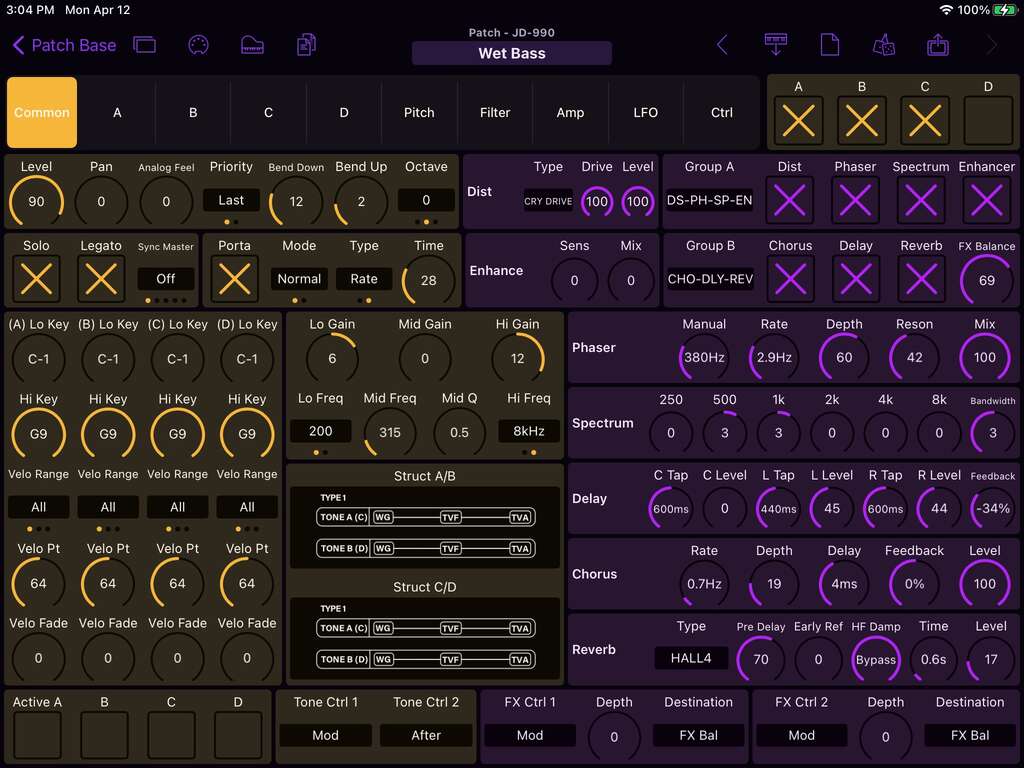
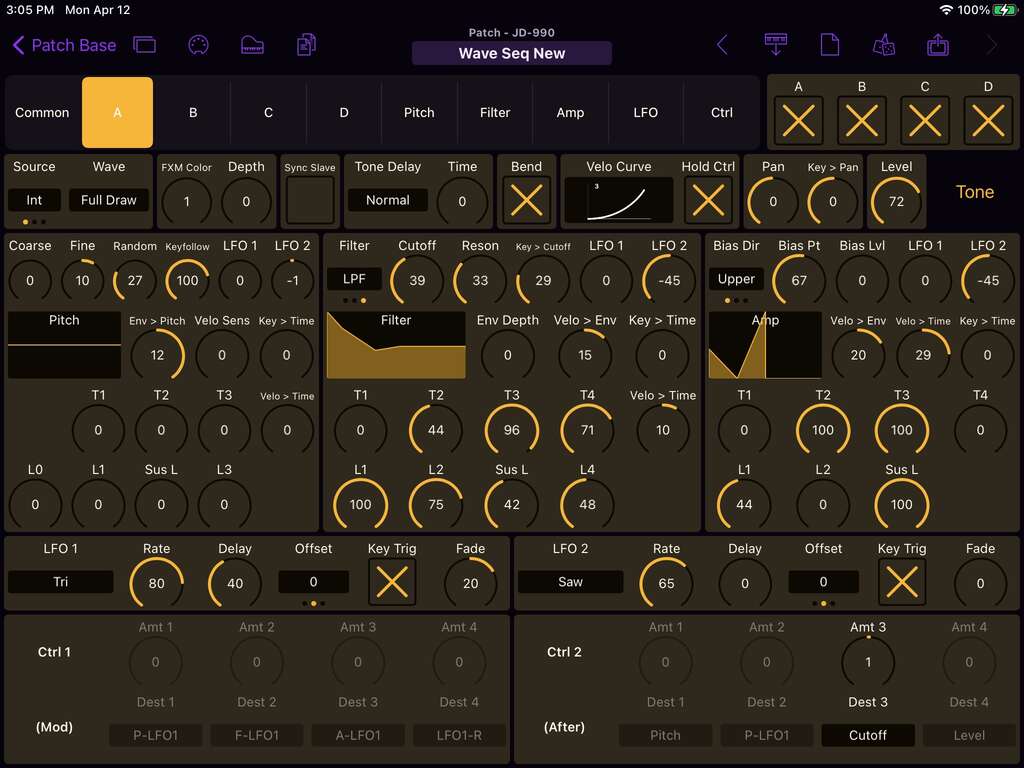
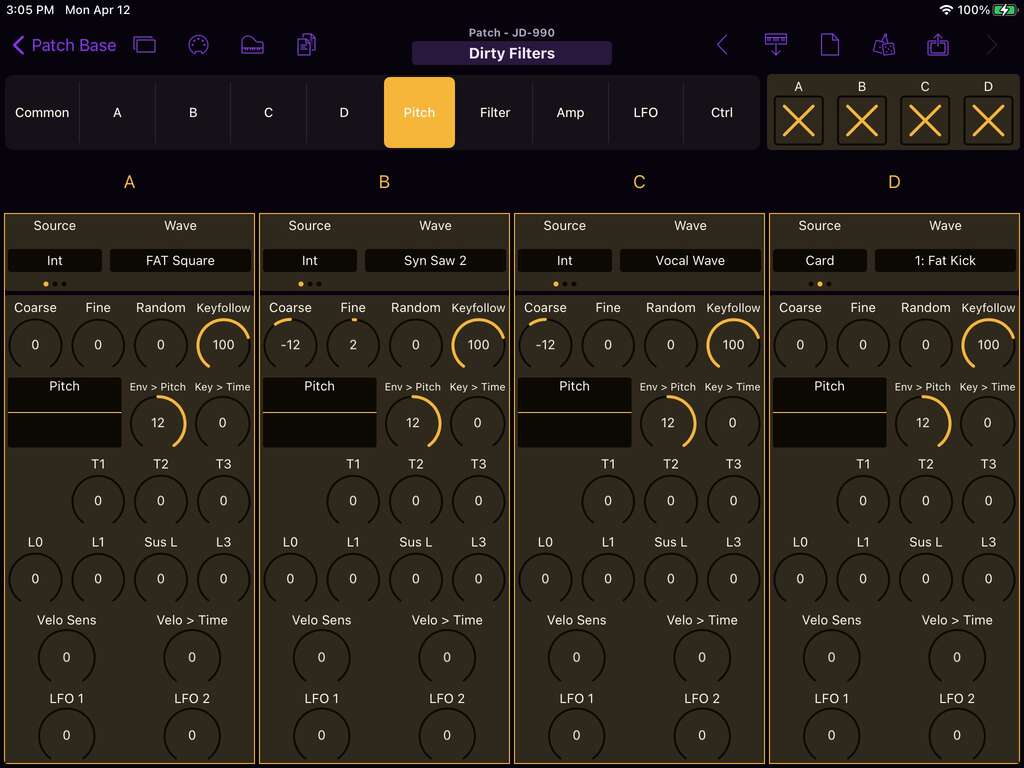
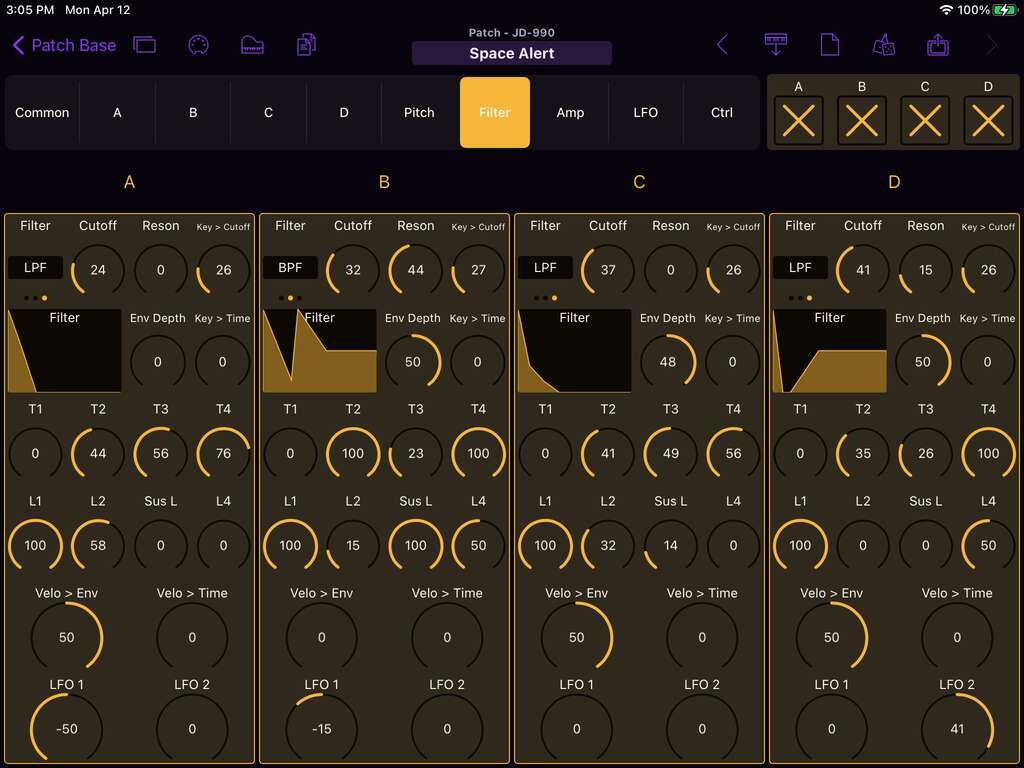
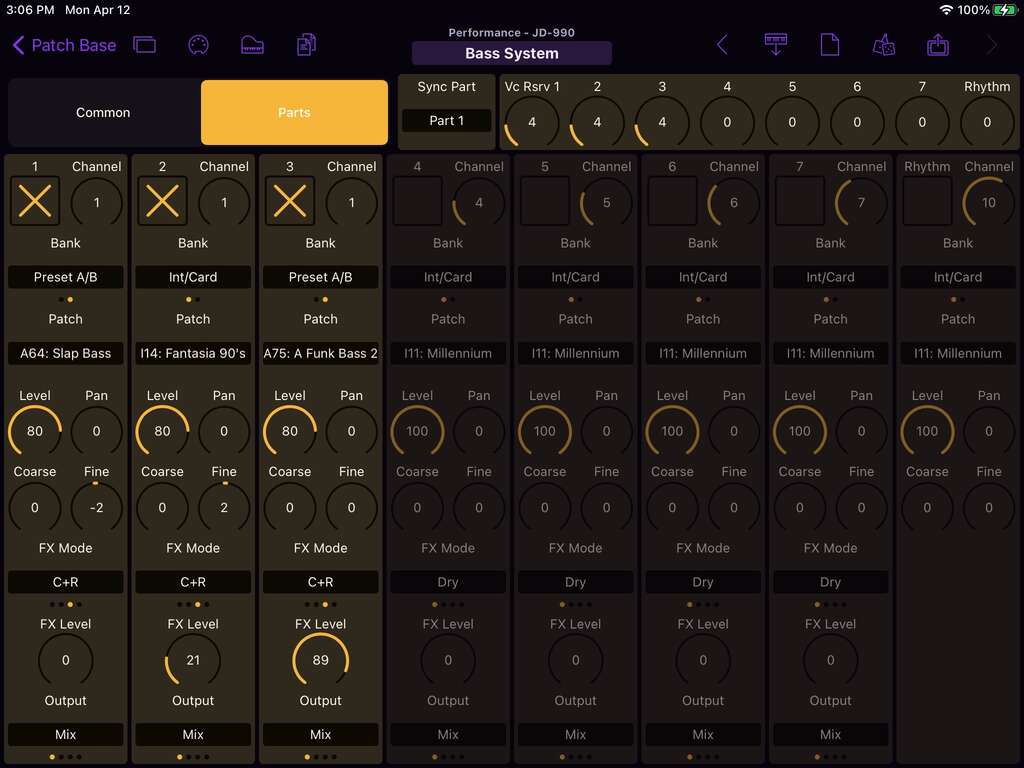
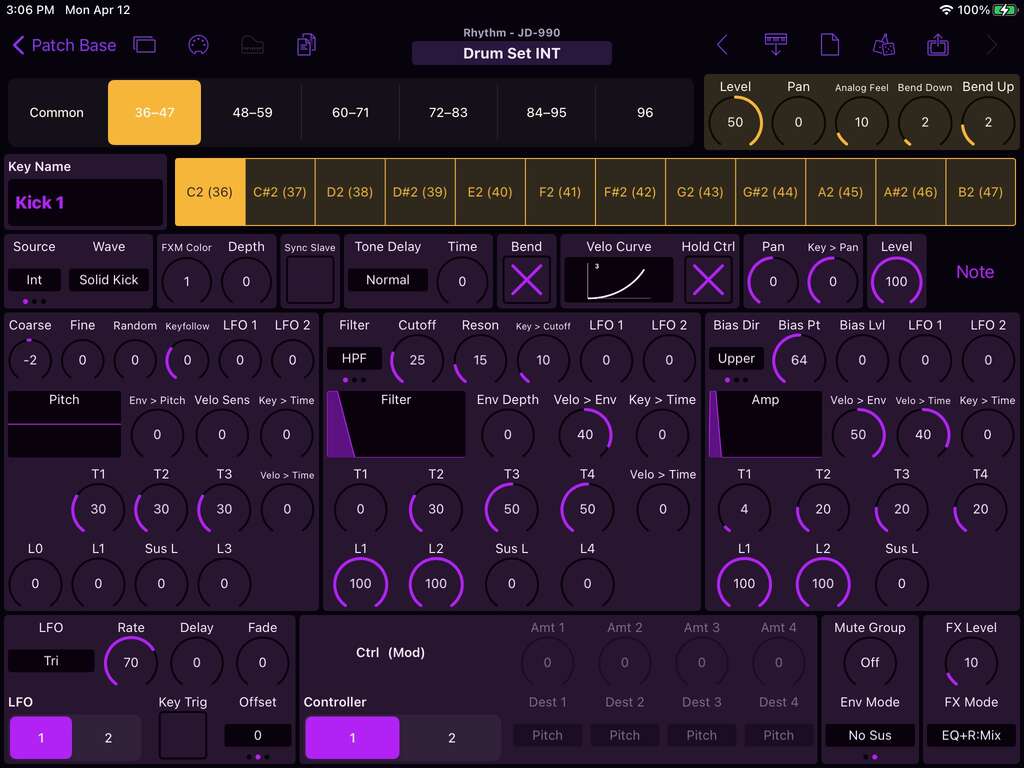
The Roland JD-990 is a powerful multi-timbral synthesizer module capable of playing 7 voice parts and 1 drum kit at once. Patch Base gives you easy editing of every voice and drum parameter inside the JD-990, enabling you to harness everything this little box can do.
Voice Editor
Each Voice in the JD is comprised of 4 Tone layers, each with its own sample, pitch, filter, and amp envelopes, and LFOs. Additionally there are 7 effects units including chorus, delay, and reverb. Patch Base lets you control all of it:
- Quickly browse all the internal samples in the JD-990
- Easily browse and use the additional sounds on any PCM card you have installed
- View either an entire Tone at once, or "palette" mode letting you see all settings of a particular section (Pitch, Filter, Amp, etc) across all 4 tones
- Copy and paste envelopes for easy editing
- Copy and paste entire Tones to mix and match layers, or thicken up your sounds
- Use any of the effects in the JD, and fine-tune their parameters
- Get a bird's-eye view of the dozens of parameters that make up an JD voice patch
Rhythm Editor
Design your own custom drum kits with Patch Base's Rhythm Editor for the JD-990. Only dedicated menu divers would want to do this without an editor, but with Patch Base, it's simple. You can design 61 separate drum sounds per setup:
- Each drum sound uses its own sample, with tuning and pitch envelope
- Access the multi-mode filter for every sound, with its own envelope
- Copy/paste entire drum sounds to create multiple variations per kit
- Copy/paste envelopes for easy editing
Performance Editor
The Performance is where all the parts of the JD-990 come together. With Patch Base you can easily edit all 8 Parts:
- Make high-level sound adjustments to the level and panning
- Set your MIDI Channels and configure outputs for every part
- Edit the Performance effects
Bank Editors
Edit and organize the 64 voice patches and 16 performances stored in your JD's memory. Patch Base gives you direct access to the banks, so you can organize patches and back them up to files on your device.
Patch Librarian
Save patches and banks as files
Patch Base saves files as sysex that can be sent to your synth by Patch Base or any general-purpose sysex transfer app.
Organize your sounds
Create folders to organize your patches and banks on iPad or Mac.
iCloud integration
Optionally use iCloud to make your patch files accessible on any iCloud-connected device, and to sync between Patch Base on Mac and iPad.
Import sysex files
Import existing patch and bank sysex files. On Mac, drop your files into the browser. On iPad, import using iCloud or the Files app.
More Roland
Other Roland editors.
Related: All supported synths FAQ JD-990 editor help